Home MINWANG Next

Perusall

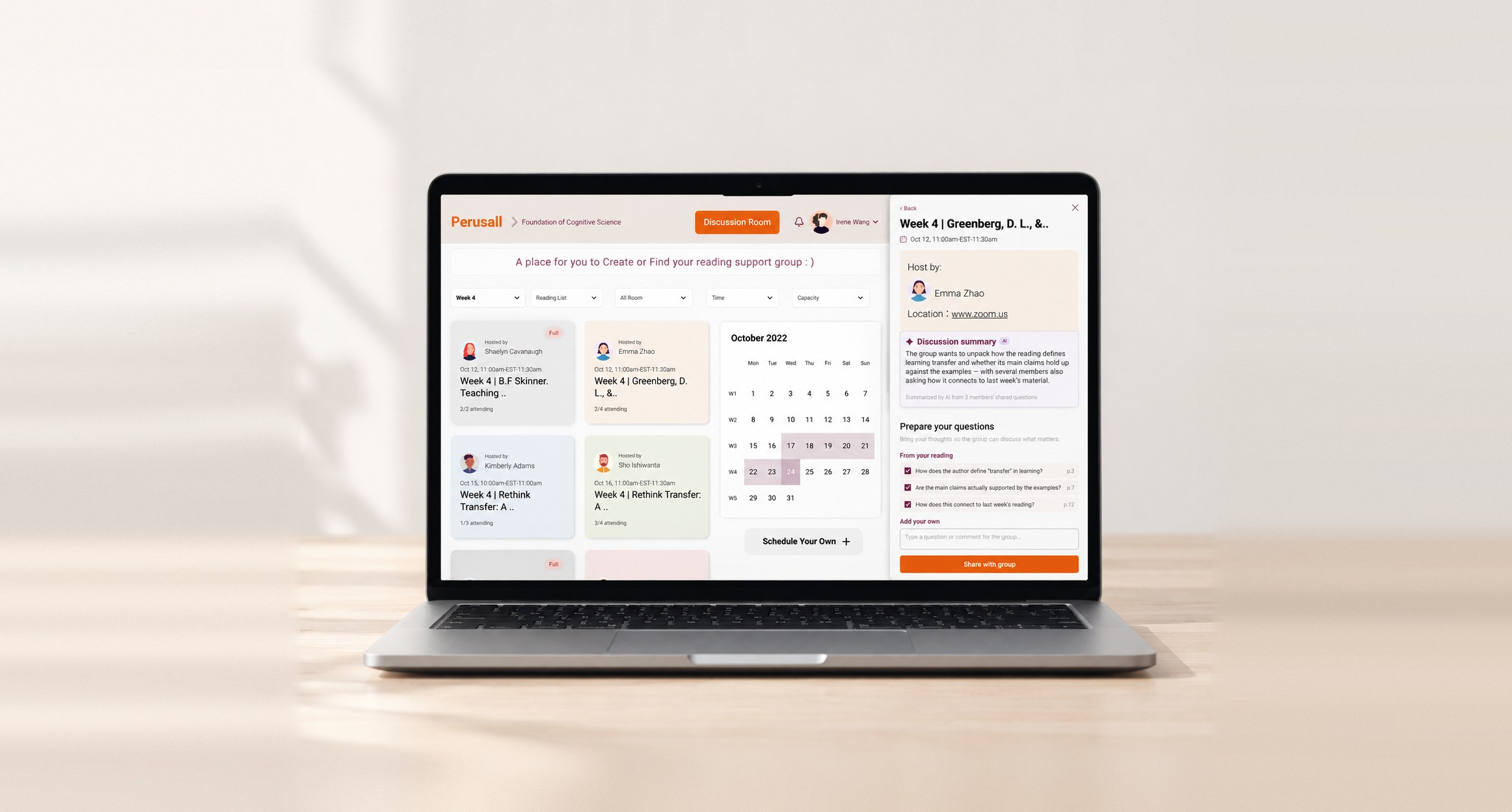
Redesigned Perusall Discussion Room on a laptop
Industry
EdTech
My role
UX research · UX design
Platform
Desktop
Timeline
September–December, 2022

Reimagining Perusall to reduce reading friction and accelerate collaborative understanding.

Perusall is a shared annotation platform for academic reading, used by more than 1,000 institutions worldwide.

Our project evolves this model by addressing the friction points we found through student research: annotation overload and slow, asynchronous discussion.

Academic reading is a persistent challenge.

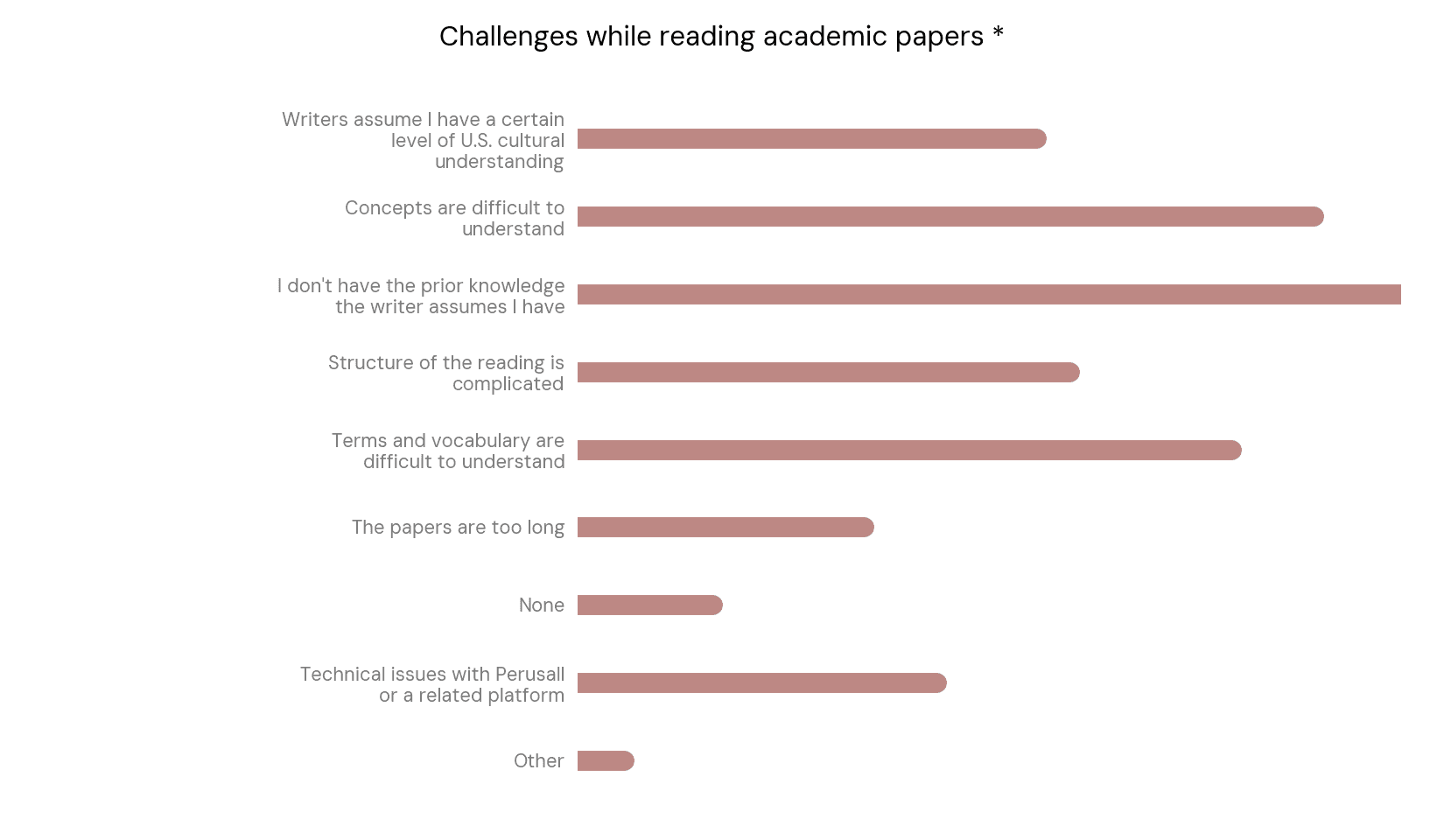
Since starting my graduate program, I kept hearing the same complaint from peers: the reading load was overwhelming. In an initial survey, students consistently described academic reading as difficult, mostly because of unfamiliar terminology, complex academic language and dense conceptual content.

These findings confirmed that comprehension barriers are a real, recurring part of students’ reading experience. Rather than stopping there, we used them as a starting point to investigate how students actually manage these challenges in practice.

Survey results showing what makes academic reading difficult for students

Perusall is where students already read together.

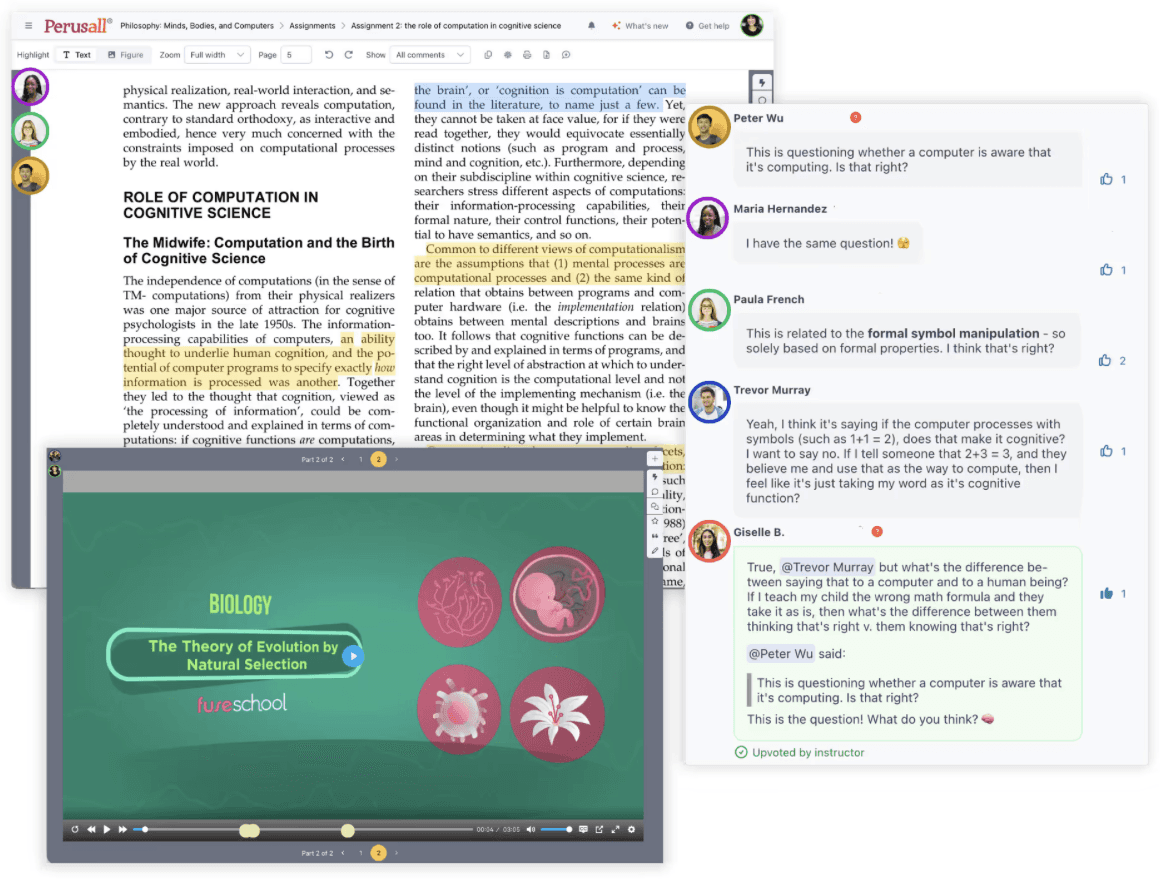
The survey also revealed a part of the learning ecosystem already in place. Perusall is a required platform in our program and deeply embedded in how students read.

Perusall’s shared reading view, where students annotate and discuss a text together

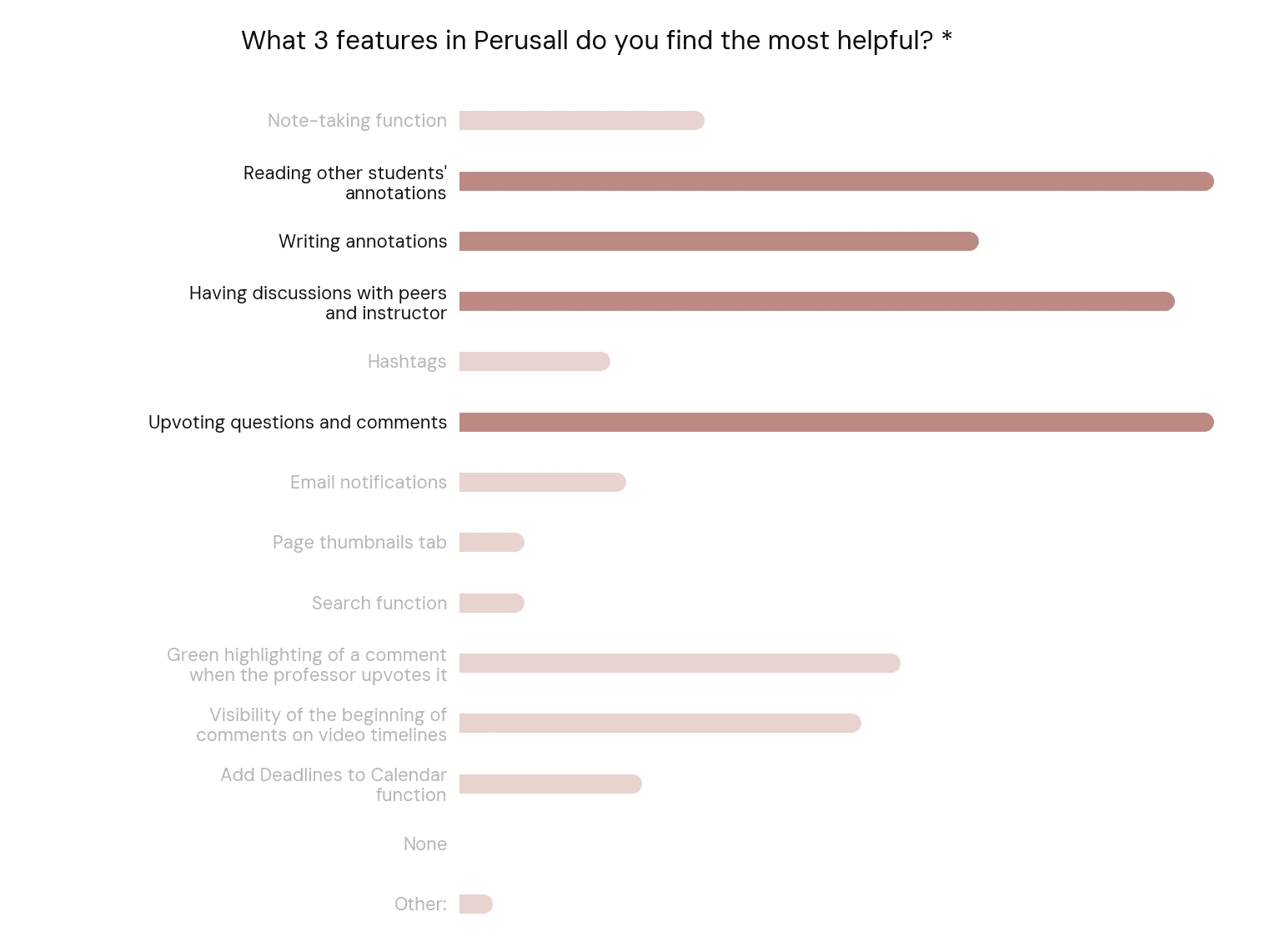
Students saw Perusall as more than a reading tool: it was a collaborative learning space. Asked which features helped most, they chose reading other students’ annotations, discussing with peers and the instructor, and writing their own annotations.

Peer insights and discussion give students the diverse perspectives and real-world examples they need to untangle complex concepts.

Survey results ranking the Perusall features students find most useful

Where the reading experience breaks down.

To understand how Perusall works in practice, we ran follow-up interviews about students’ reading experiences. They valued collaborative annotation, but described recurring frustrations.

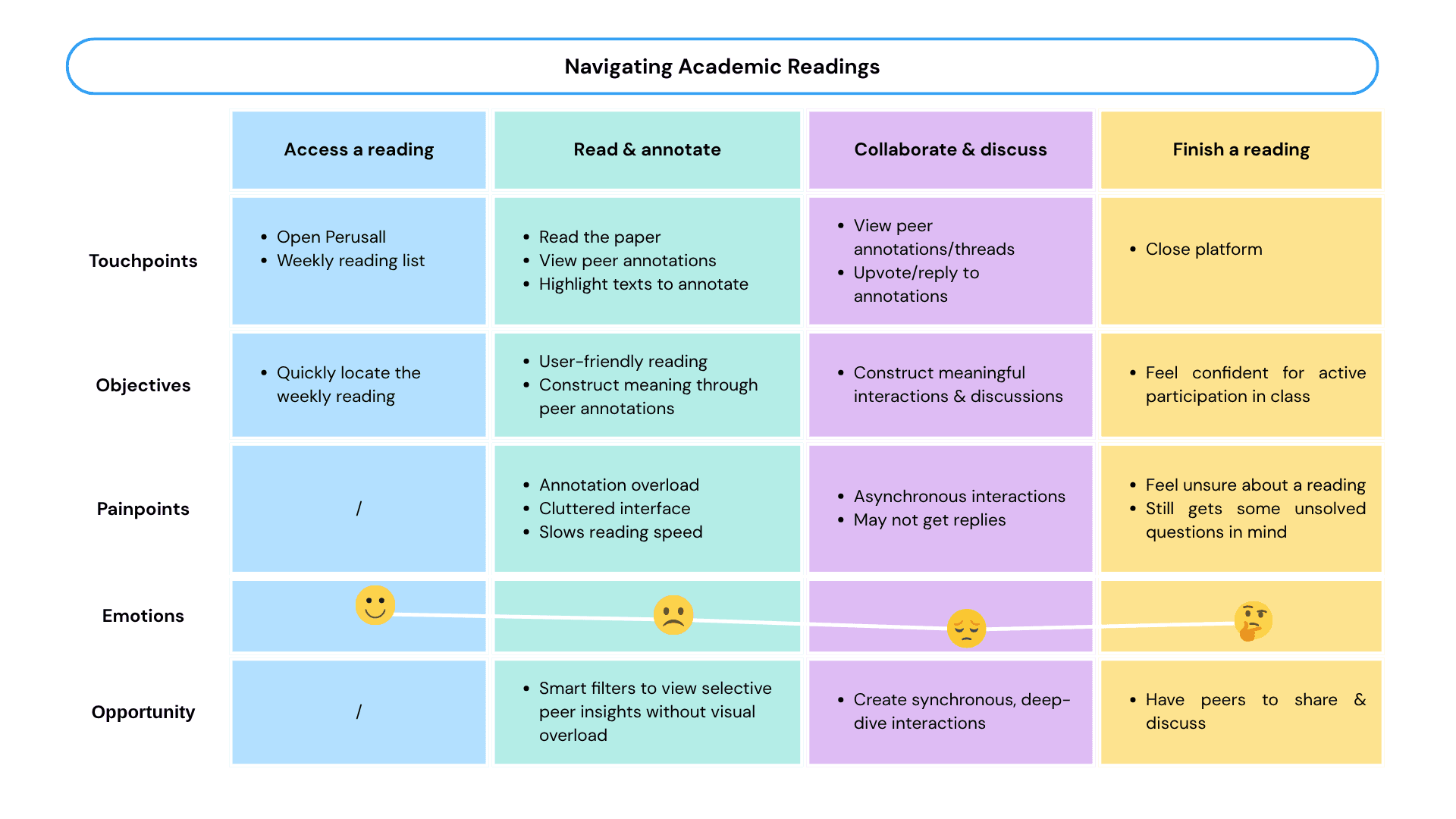
Mapping these findings onto a student’s journey, from receiving an assignment to finishing a reading, revealed two distinct friction points.

Student journey map from receiving an assignment to completing a reading, highlighting friction points

The journey pointed to two friction points:

  • Repetitive or irrelevant comments clutter the interface and break students’ reading flow.
  • Asynchronous collaboration limits chances for immediate clarification and real-time exchange.

This led us to ask:

How do we keep the value of peer insight without the noise and the wait?

After a full audit, we decided on two tactics:

  • Add a filterable annotation system that preserves focus without sacrificing peer insights.
  • Support synchronous discussion inside Perusall.

Less noise, faster answers.

This project focuses on annotation workflows and real-time discussion, so the mockups simplify Perusall’s existing interface to put those two areas front and centre.

01

Giving students control over annotation overload

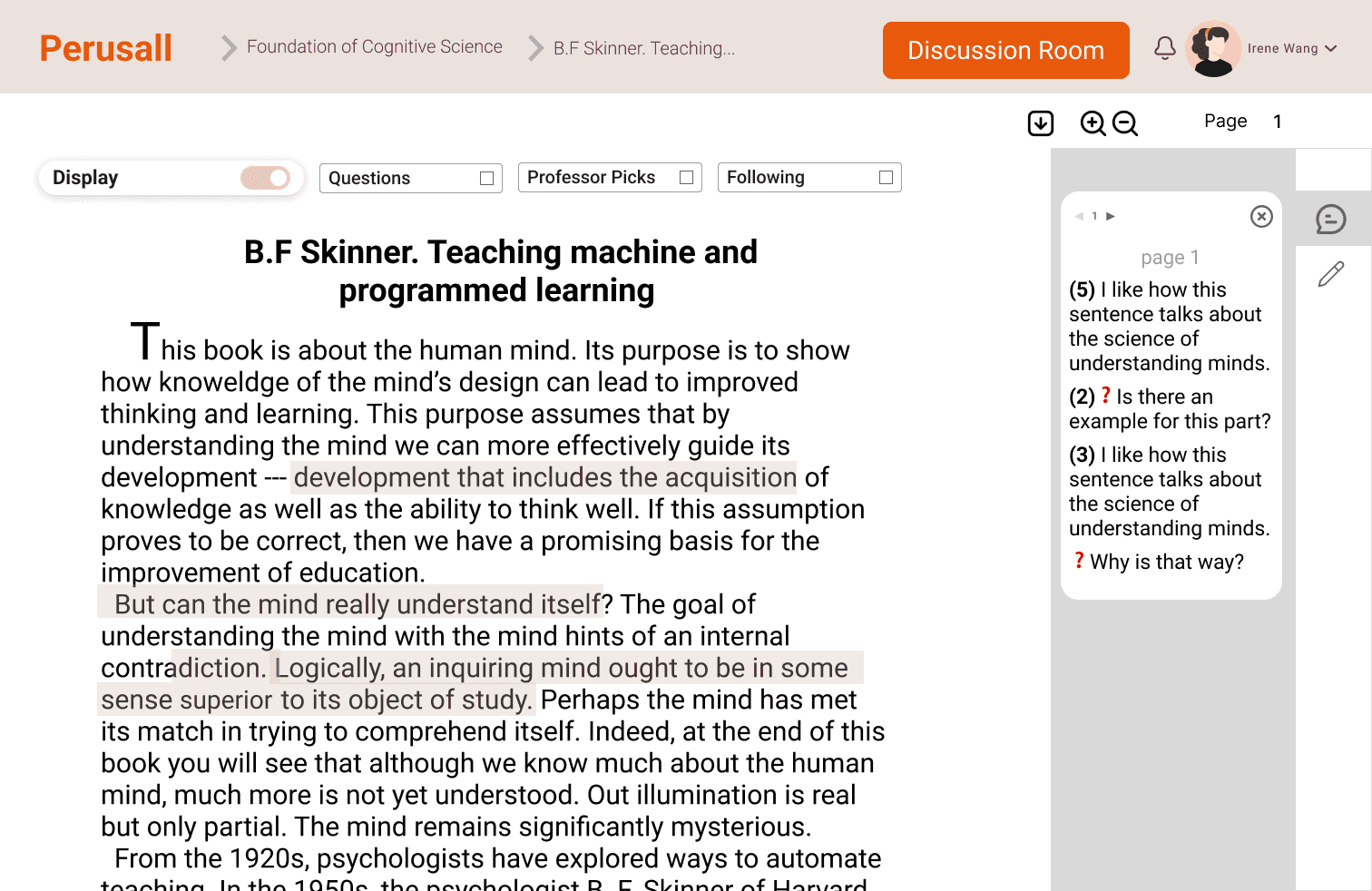
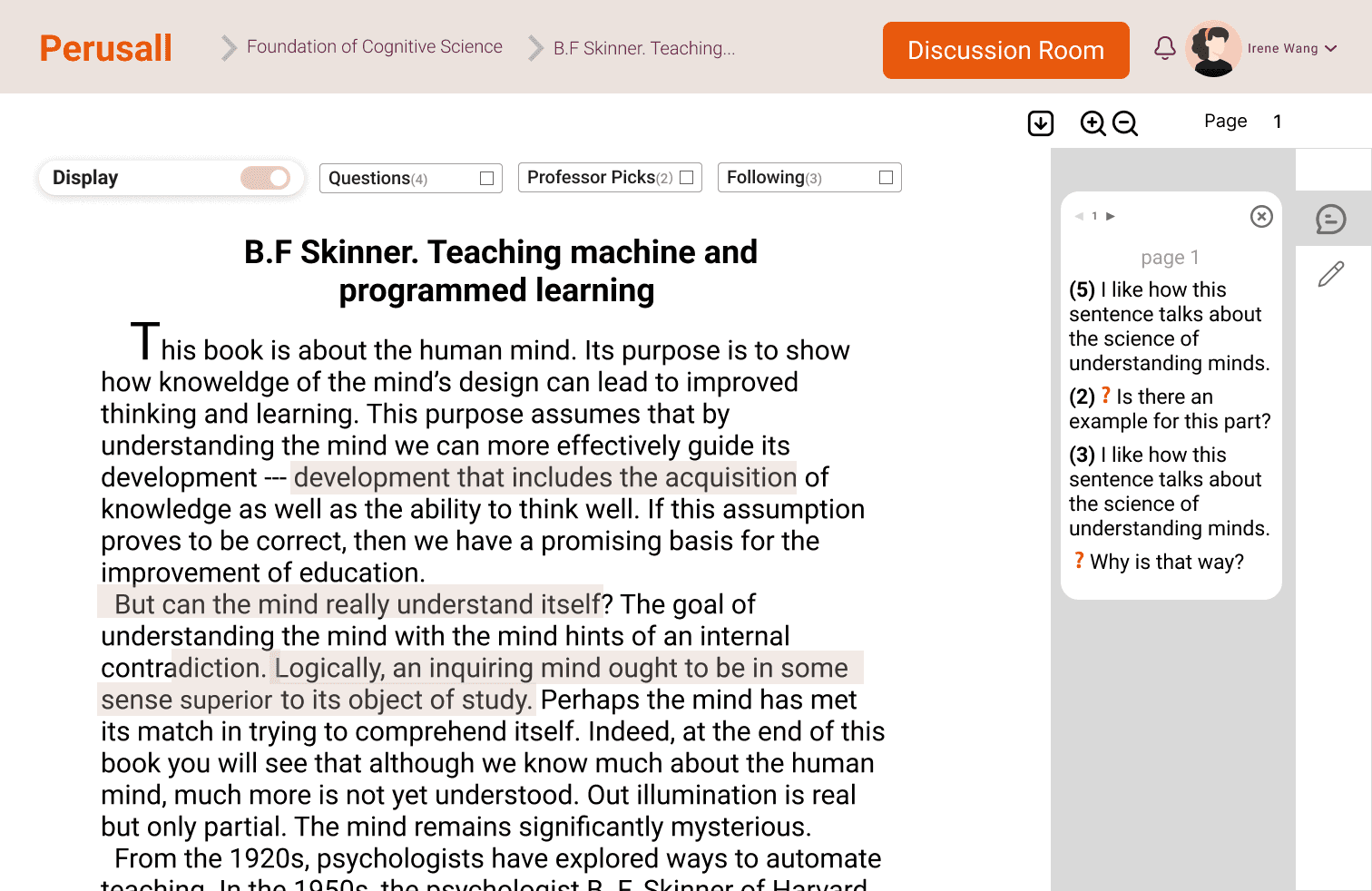
Students struggled to find relevant insights among a large volume of annotations. A filtering system lets them choose which annotations to see:

  • Questions surface thought-provoking prompts and shared confusion, using Perusall’s existing question tag.
  • Professor picks put instructor-endorsed insights first.
  • Following shows annotations from peers a student has found consistently helpful.
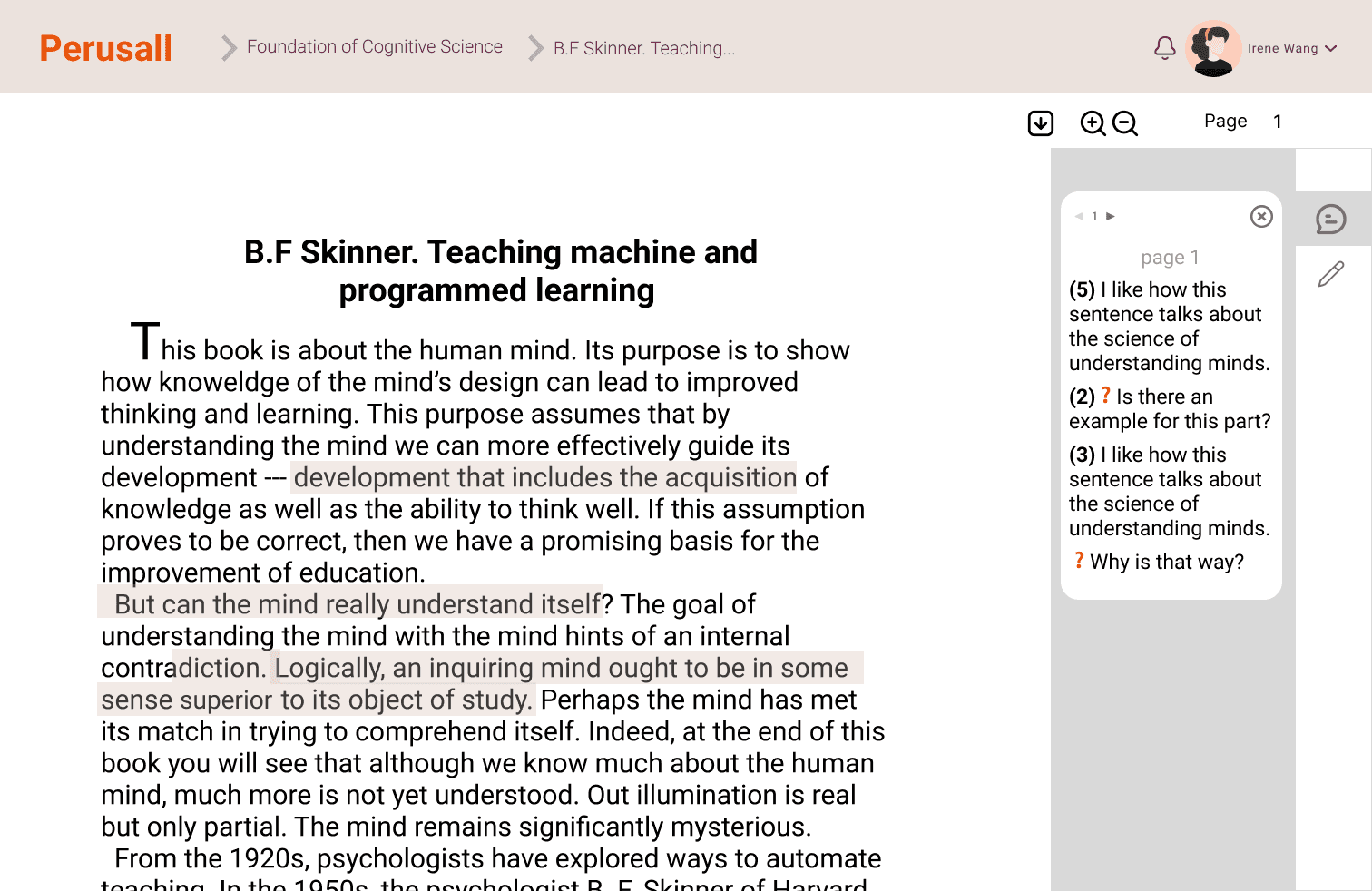
Before
Simplified Perusall reading view with every annotation shown
After

02

Supporting real-time collaborative learning

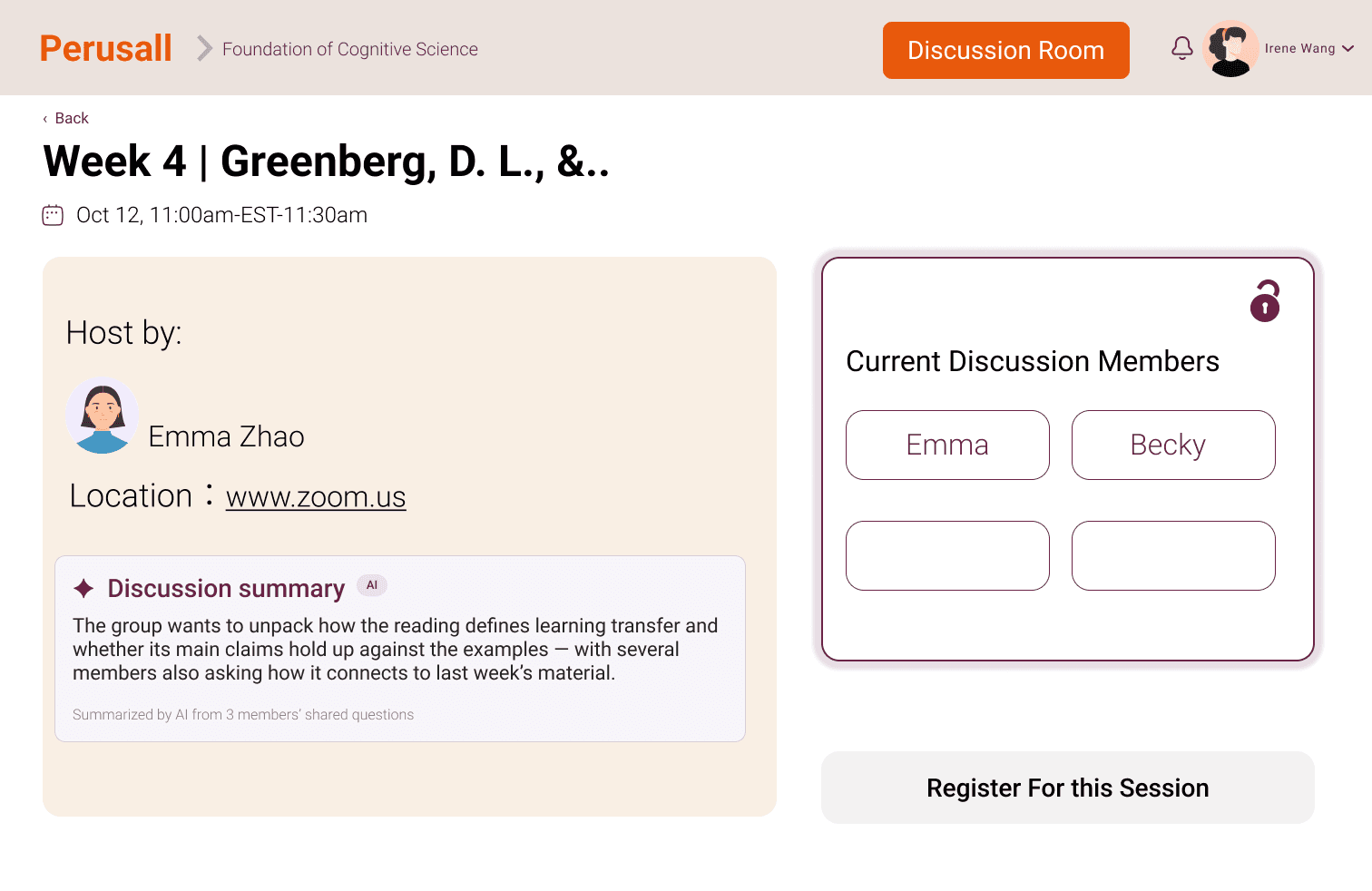
Asynchronous comments can’t replicate the energy of a live discussion, and students who want to work through a hard text together have no way to do it in Perusall. A Discussion Room lets them join existing groups, set a time and place to meet, or open their own room for peers to join on demand.
Before
Simplified Perusall reading view with no way to discuss in real time
After

Three of the students we had interviewed returned for usability tests. They responded positively to both features.

I like that I can turn off annotations when I don’t need them. The selective display helps me absorb others’ annotations, and the Following filter is interesting to have.Chloe

I like the Discussion Room because I can get feedback immediately.Steve

I wish Perusall could adopt your design! I like both features, and they’re pretty self-explanatory.Kris

They also raised questions about each feature, which shaped three iterations.

01

Make filtered content easier to gauge.

Two testers asked to see how many annotations each filter holds, such as Questions (12) or Professor picks (5), so they could decide which to open. We added a count to every filter.

Before
Annotation filters without counts
After
Annotation filters showing how many annotations each contains

Add filter counts

02

Ask what following should signal.

When using Following, participants often asked whether the other student would be notified. The prototype keeps following private, but the question showed that social visibility and incentives could strongly shape behaviour. More research is needed on how different privacy models affect participation and annotation quality.

03

Help groups start better discussions.

One tester suggested discussion prompts, since people join a room with different goals. We added a step where participants write down their questions or comments before joining, and AI summarizes them into an outline to guide the discussion.

Before
Joining a Discussion Room without any preparation step
After

A calmer place to read, with help one click away.

The final prototype brings annotation filters and Discussion Rooms into one reading experience. Students choose which annotations to see, then go from a question to a live study group without leaving Perusall.

View live prototype

Measure whether reading feels lighter and more connected.

To evaluate whether the new features work, these are the metrics worth tracking and analyzing.

MetricWhat it measuresWhy it matters
Annotation filter usage rateAdoption of filteringIf students frequently adjust annotation visibility, the filters are helping them tailor the reading experience to their needs.
Reading completion rateReading experience qualityStudents said annotation overload disrupted their flow. If filtering reduces that friction, they should be more likely to finish readings.
Discussion Room participation rateAdoption of live discussionA high rate suggests students value real-time discussion and find rooms easy to discover and join.
Learning satisfaction scoreImprovement in comprehensionSatisfaction scores show whether students see the new interaction model as beneficial to their learning.

Study what already works before inventing something new.

I started with an ambitious goal: a new tool that would bring students real relief from heavy academic reading, perhaps by translating obscure words or linking specialized terms to explanations.

But while analyzing the survey and interviews, my attention shifted to how students talked about Perusall, a platform widely used in our program that I had initially overlooked. Studying it, I came to appreciate how well it addresses students’ real challenges and how intelligently it uses collaborative learning. That shifted our goal from building a brand-new tool to improving Perusall.

The project taught me to examine existing designs critically before trying to innovate. Seeing how people use current solutions, what works and what frustrates them, reveals their real needs and leads to ideas grounded in proven principles.